Modern MD272UPSW Features You Need to Know
Monitors
Modern MD272UPSW is MSI's first Smart Monitor, seamlessly combining entertainment and productivity in one device. With built-in Google TV and Dolby Audio, it delivers an immersive entertainment experience. Additionally, its versatile connectivity allows you to easily connect multiple devices, enhancing workflow efficiency and maintaining a clutter-free workspace. Below, we’ll introduce the features of the Modern MD272UPSW and explore how it can benefit your daily life.
- How to set up the Modern MD272UPSW?
- How to use a peripheral on Modern MD272UPSW?
- How does Moden MD272UPSW connect to other devices?
- Introduction of Cast2Display, Multiview and Muti Control
- Online Streaming Guide
1. How to set up Modern MD272UPSW?
Modern MD272UPSW is a versatile monitor that can be operated using a keyboard and mouse for traditional control. Additionally, it comes with a remote control, offering users an easy and convenient way to manage the monitor's settings and features from a distance.
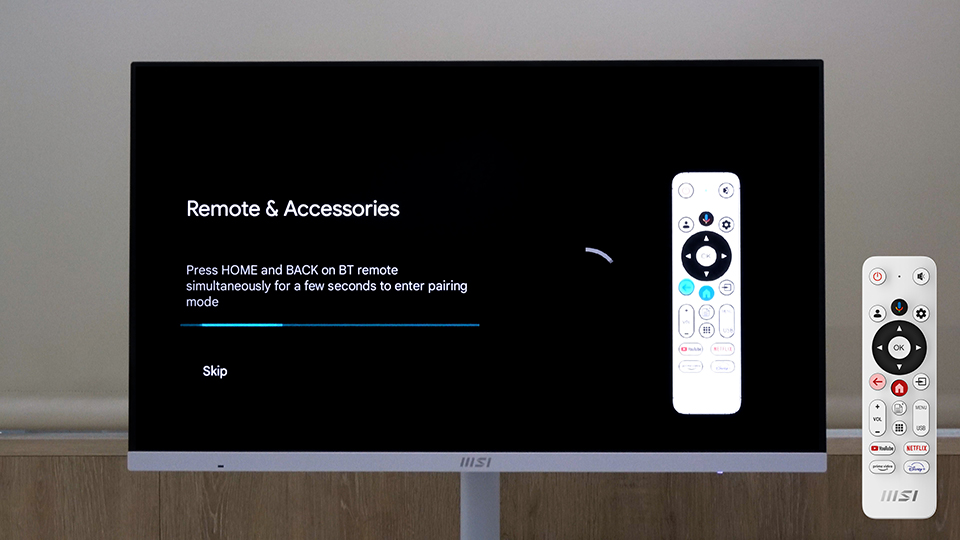
1. When you turn on the Modern MD272UPSW for the first time, the system will ask to pair the remote control. Long press HOME and BACK buttons on the remote control until the screen shows connected.
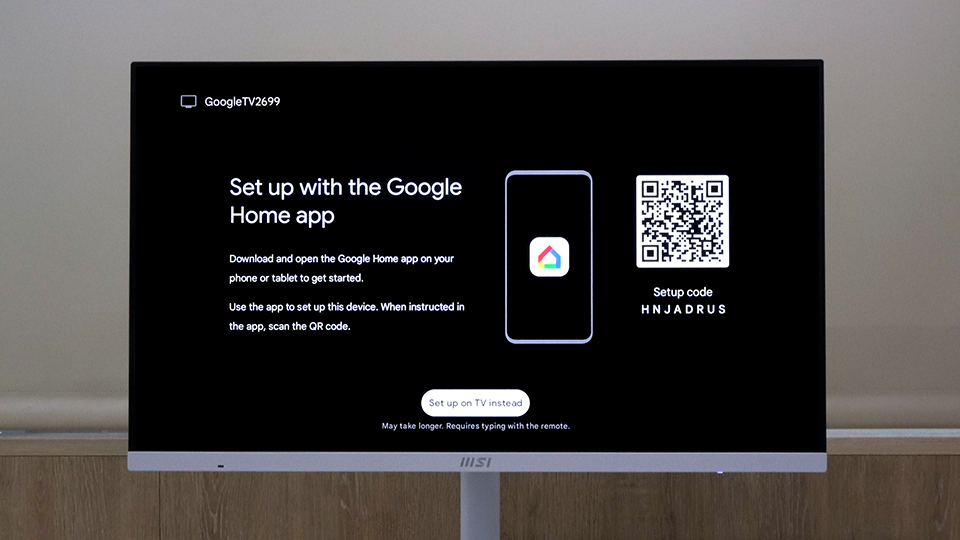
2. You can connect the Google Home app with the monitor by scanning the QR Code on the screen after installing the Google Home app on your phone. Or you can skip this step and set the app later.
3. Start to set up Google TV. Choose the Wi-Fi to which your phone connects.
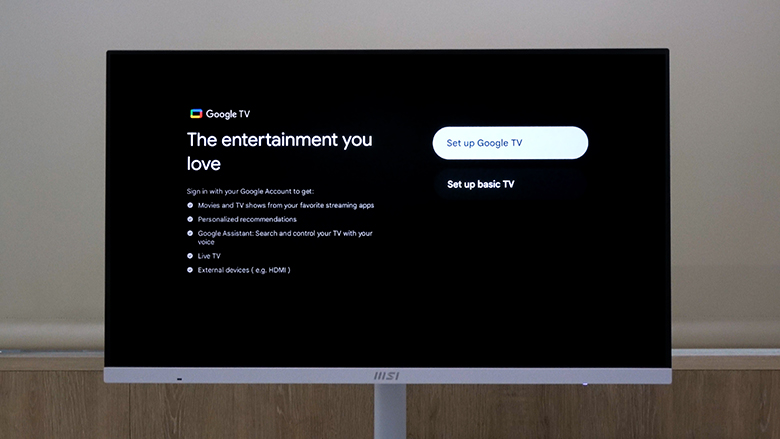
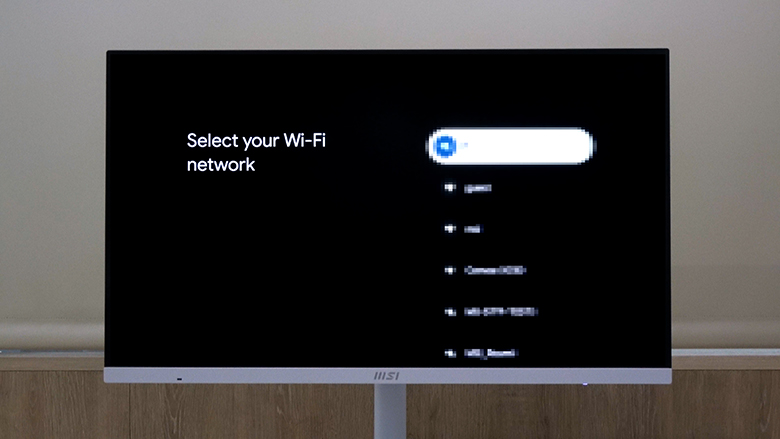
4. Log in to your Google account, and the monitor will begin setting up your Google TV.
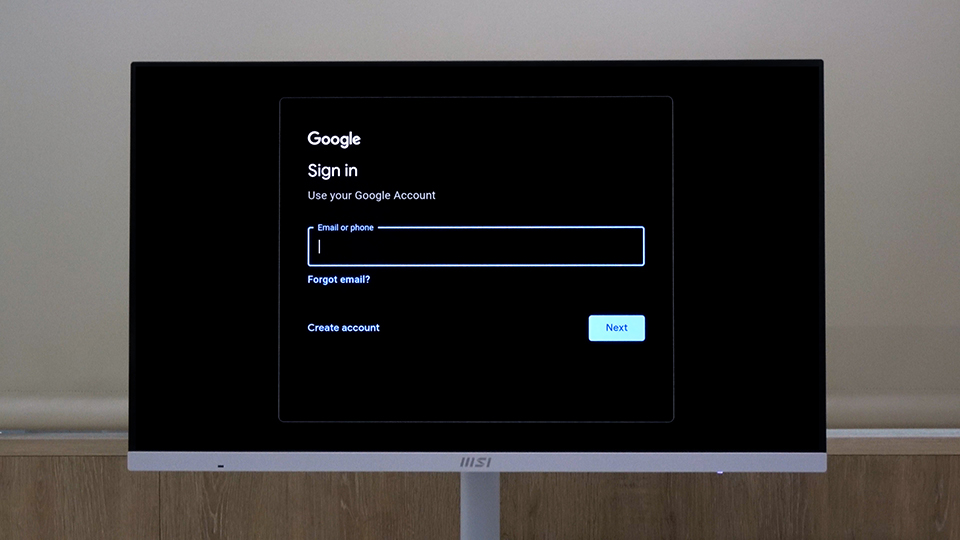
5. After fininshing the Google TV setup, you can start enjoying the entartainment.
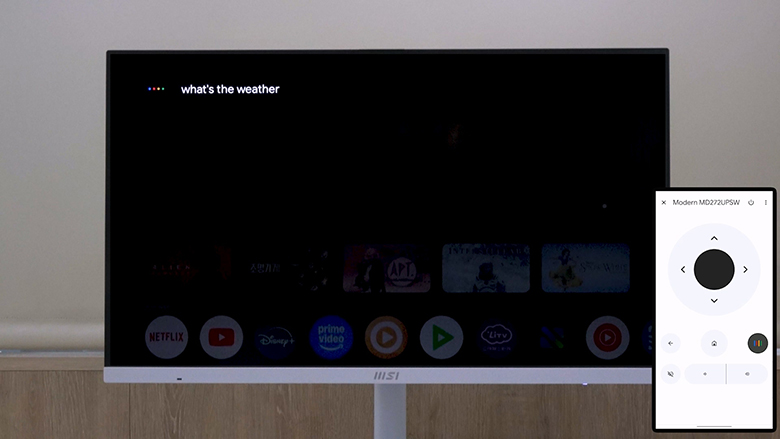
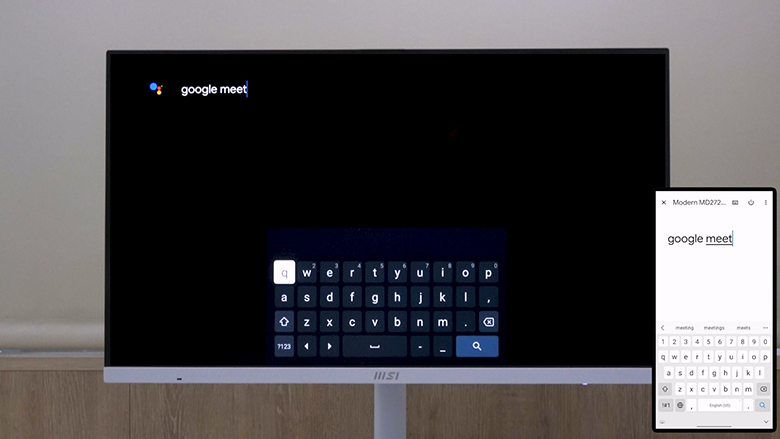
Additionally, once you have set up Google Home app, you can use your phone to control the Modern MD272UPSW. To do so, ensure that your phone is connected to the same Wi-Fi network as the monitor. Open the Google Home app, detect it, and pair it with your monitor, allowing seamless control from your phone.
2. How to use a peripheral on Modern MD272UPSW?
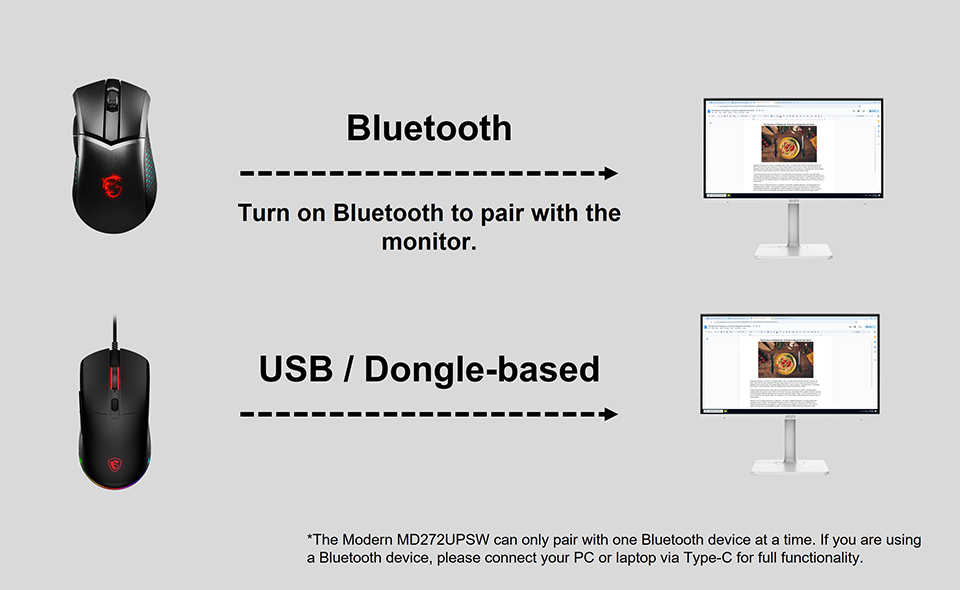
For wired or dongle-based devices, such as a keyboard and mouse:
Simply connect them to the USB ports on the monitor, and you're ready to use them seamlessly.
Simply connect them to the USB ports on the monitor, and you're ready to use them seamlessly.
For wireless devices using Bluetooth:
Turn on Bluetooth on the Modern MD272UPSW to pair with your wireless device.
Turn on Bluetooth on the Modern MD272UPSW to pair with your wireless device.
3. How does Moden MD272UPSW connect to other devices?
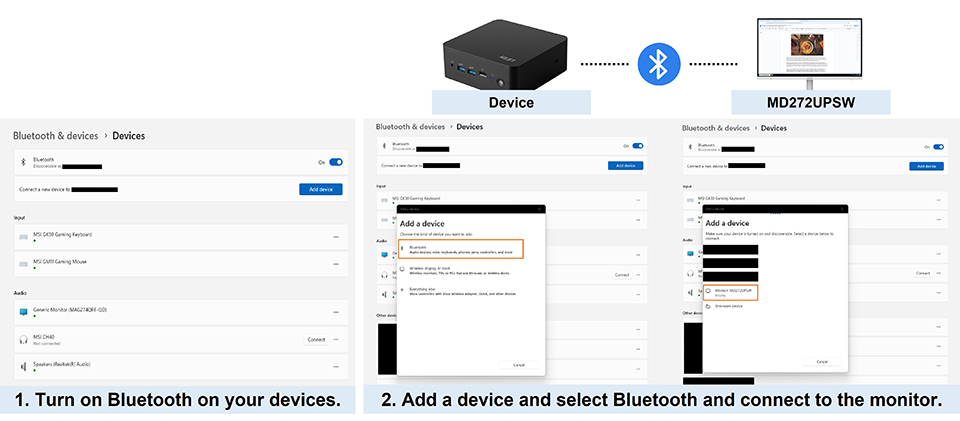
Modern MD272UPSW is equipped with a variety of I/O ports, enabling it to handle multiple tasks simultaneously. You can connect devices such as your PC, phone, notebook, or tablet via HDMI, DP, and Type-C. But how do you control all these devices through the Modern MD272UPSW? The solution is simple: connect your keyboard and mouse to the monitor. With just one set of keyboard and mouse, you can seamlessly control the Modern MD272UPSW as well as the other connected devices, streamlining your workflow.
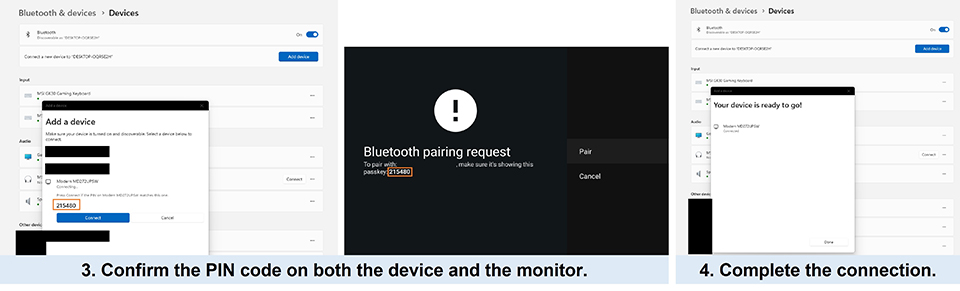
If your device is connected to the Modern MD272UPSW via HDMI or DP, you'll need to enable Bluetooth on your device to pair it with the monitor. This allows you to use the keyboard and mouse to control both your device and the monitor. However, if you're using a wireless keyboard and mouse using Bluetooth, they must be connected via Type-C. Unlike HDMI and DP, Type-C inherently supports signal transmission for control, eliminating the need to enable Bluetooth.
This setup offers a convenient way to manage multiple devices with just one keyboard and mouse, improving work efficiency while maintaining a clean and organized workspace.
4. Multiple Display Features
Above we introduce how Modern MD272UPSW can control other devices that are from different signals. However, Modern MD272UPSW capabilities go beyond that. The built-in app, Cast2Display, can mirror the image on your phone to the monitor. Multiview and Multi Control functions let us manage two devices from a single screen with one set of peripherals.
Cast2Display:
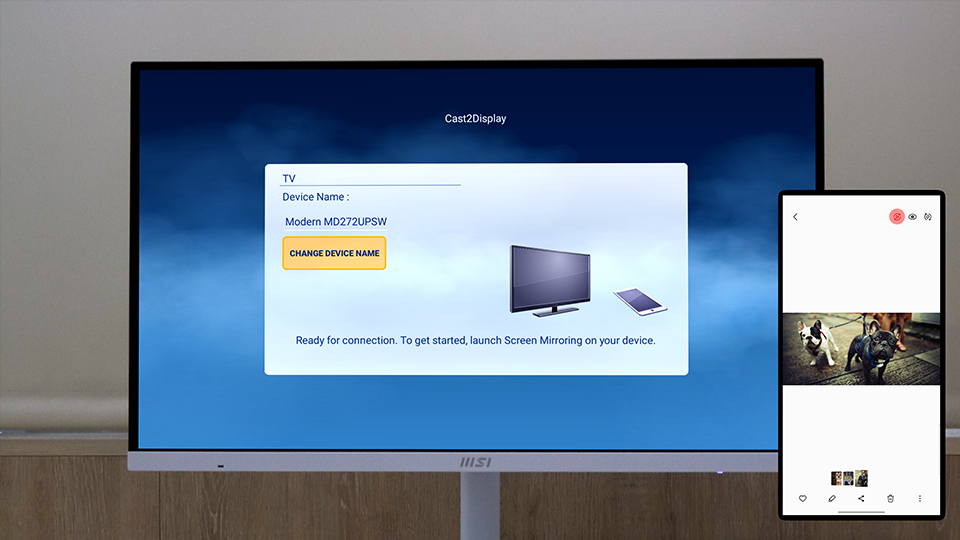
Open Cast2Display app and turn on the cast function on your phone. Please check if your phone support the cast function and the name of cast function may vary by your phone system. This allows you to mirror your phone’s screen directly onto the monitor.
Open Cast2Display app and turn on the cast function on your phone. Please check if your phone support the cast function and the name of cast function may vary by your phone system. This allows you to mirror your phone’s screen directly onto the monitor.
Multiview and Multi Control:
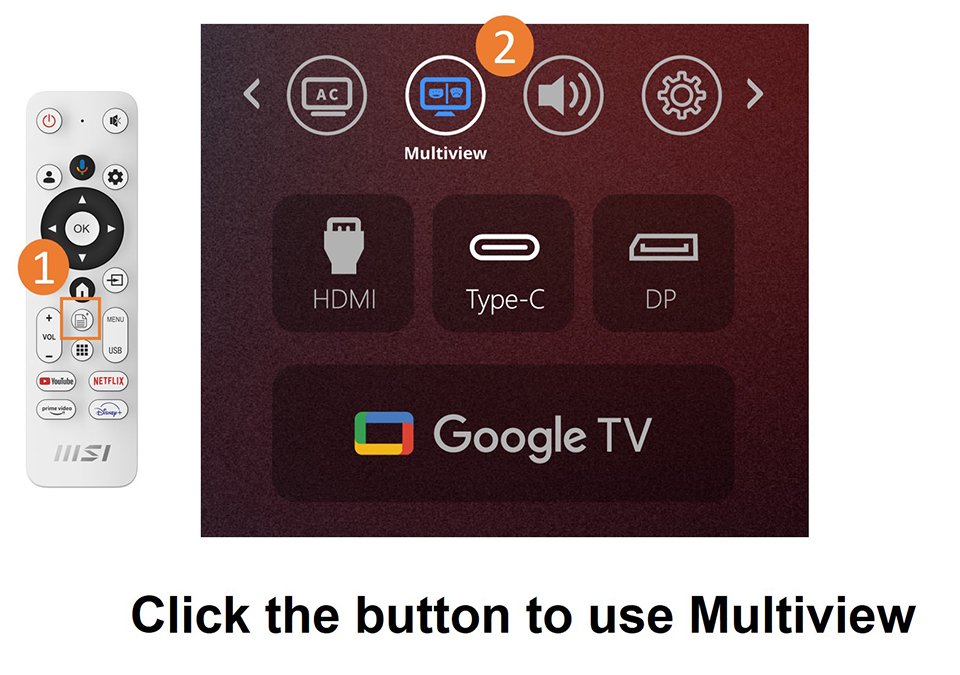
Modern MD272UPSW supports Multiview and Multi Control, allowing you to wirelessly cast your phone's image onto the monitor when connected device via HDMI, DP, or Type-C. These features are ideal for multitasking, enabling you to work on one device while participating in a video chat or conference on another.
Modern MD272UPSW supports Multiview and Multi Control, allowing you to wirelessly cast your phone's image onto the monitor when connected device via HDMI, DP, or Type-C. These features are ideal for multitasking, enabling you to work on one device while participating in a video chat or conference on another.
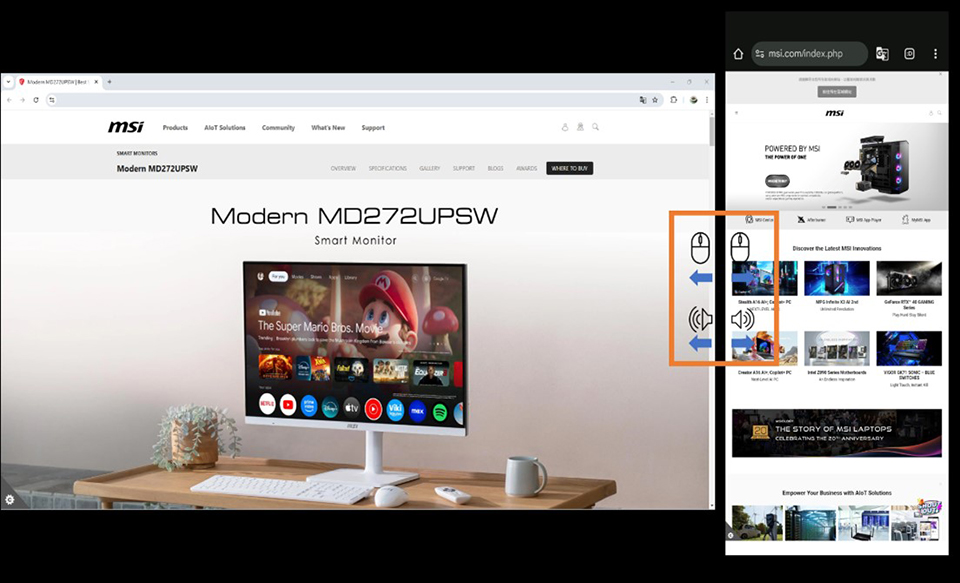
Switching between devices is seamless. By clicking the middle mouse button, you can decide which device speaker you want to use and which device you wish to control. On-screen icons for the speaker and mouse let you easily select your preferences with a simple click, enhancing both productivity and convenience.
Check if your device supports the Miracast function (Android only) for wireless screen mirroring. For full functionality of Multi Control, ensure your keyboard and mouse are connected directly to the monitor, as certain apps may not support keyboard and mouse control.
5. Easy to Streaming
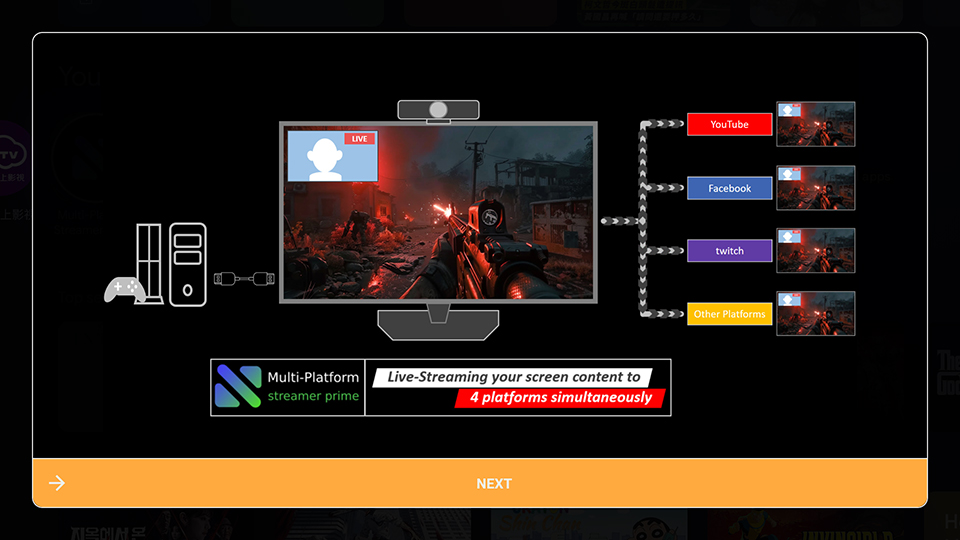
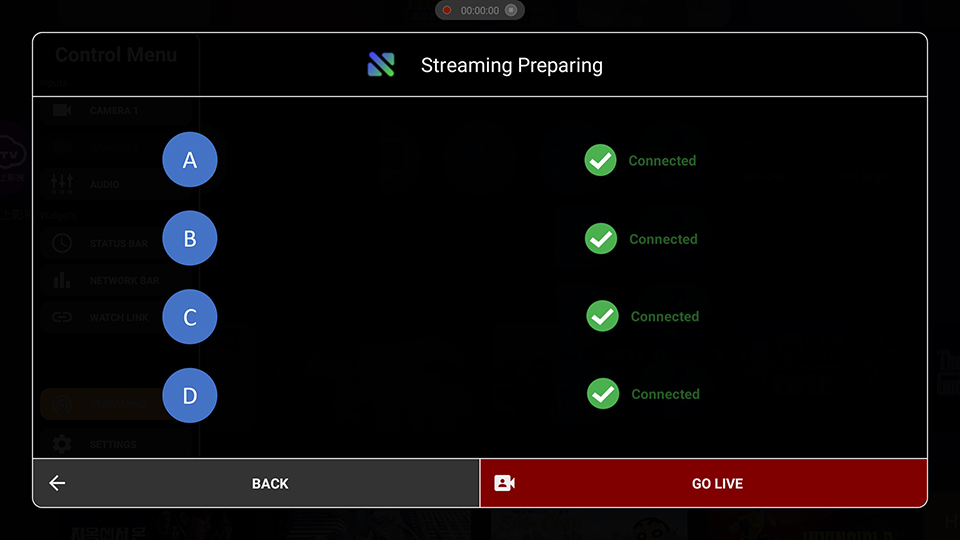
The Modern MD272UPSW includes the built-in Multi-Platform Streamer Prime app. The app integrates YouTube, facebook, Twitch, Steam, and more. Add your accounts to the app, and you can easily go live on up to 4 platforms simultaneously.
Live Smarter, not Harder
Modern MD272UPSW offers a fresh experience, especially for those with limited living space. Its multiple connectivity options and easy-to-use control functions allow you to efficiently complete tasks. With Google TV replacing traditional TV functions, you can relax on the bed or sofa, watching the latest dramas or gaming using the controller or your phone—no need to sit in a cramped chair. It helps relieve the fatigue of a long day, striking a perfect balance between work and life.